In development. The Maxwell app isn’t available yet and previews use fictional data.

In development · AI workflow automation

Maxwell.AI Workspace

The admin around advice, drafted for you. Maxwell.AI turns meetings, inboxes and client records into file notes, tasks and advice packs, then hands every draft back to the adviser to approve.

Become a founding firm

The firm, clients and systems shown are fictional.

Ask about any client

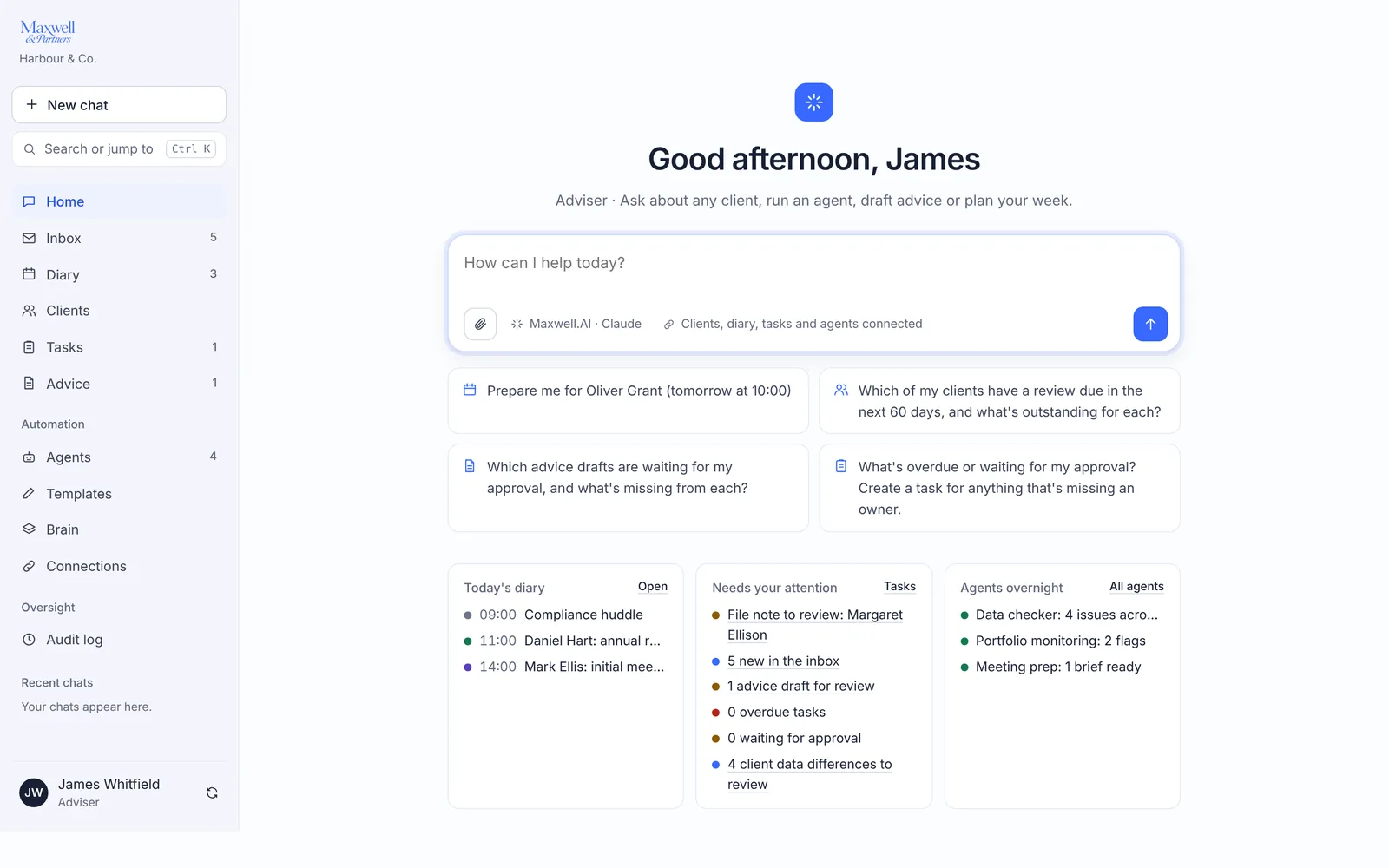
Start from one box. Ask about a client, run an agent, draft advice or plan your week. Next to it: today’s diary, what needs your attention and what the agents found overnight.

  • Answers drawn from your clients, diary, tasks and agents
  • Save any answer to Tasks for review
The Maxwell.AI home screen: a question box, suggested questions, today’s diary and items needing attention

From meeting to file note

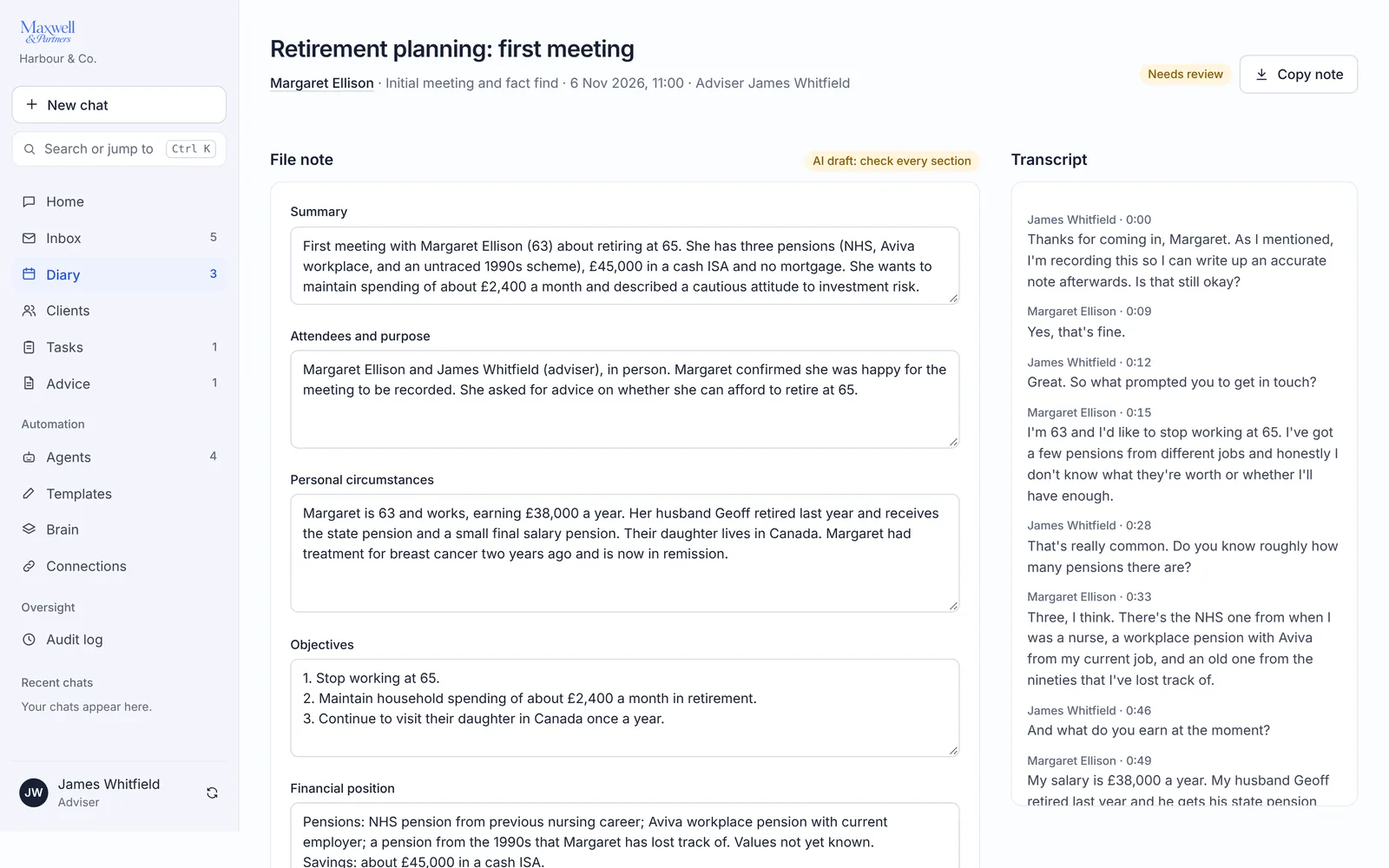
Upload a recording or transcript and Maxwell drafts the record: the file note, fact-find updates, suitability gaps, possible vulnerability indicators, follow-up tasks and an email.

  • Each fact-find update is linked to the client’s own words, and a quote that can’t be found in the transcript is flagged
  • Only the client’s adviser can sign off, after deciding every item
A meeting record: the drafted file note beside the meeting transcript

An inbox that sorts itself

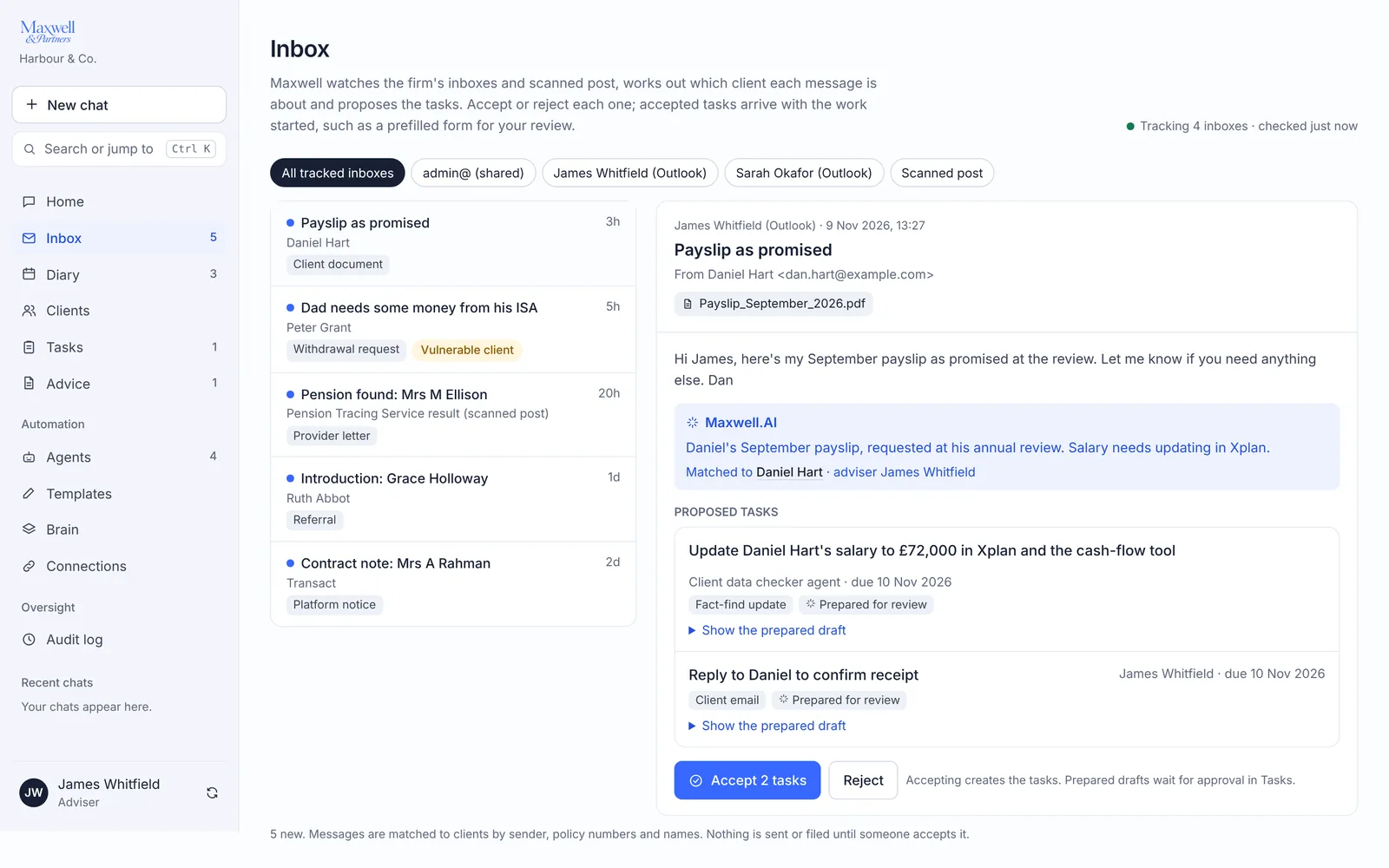
Maxwell watches the firm’s inboxes and scanned post, works out which client each message is about and proposes the tasks. Accept or reject each one. Accepted tasks arrive with the work started, such as a prefilled form.

The inbox: messages matched to clients, with proposed tasks to accept or reject

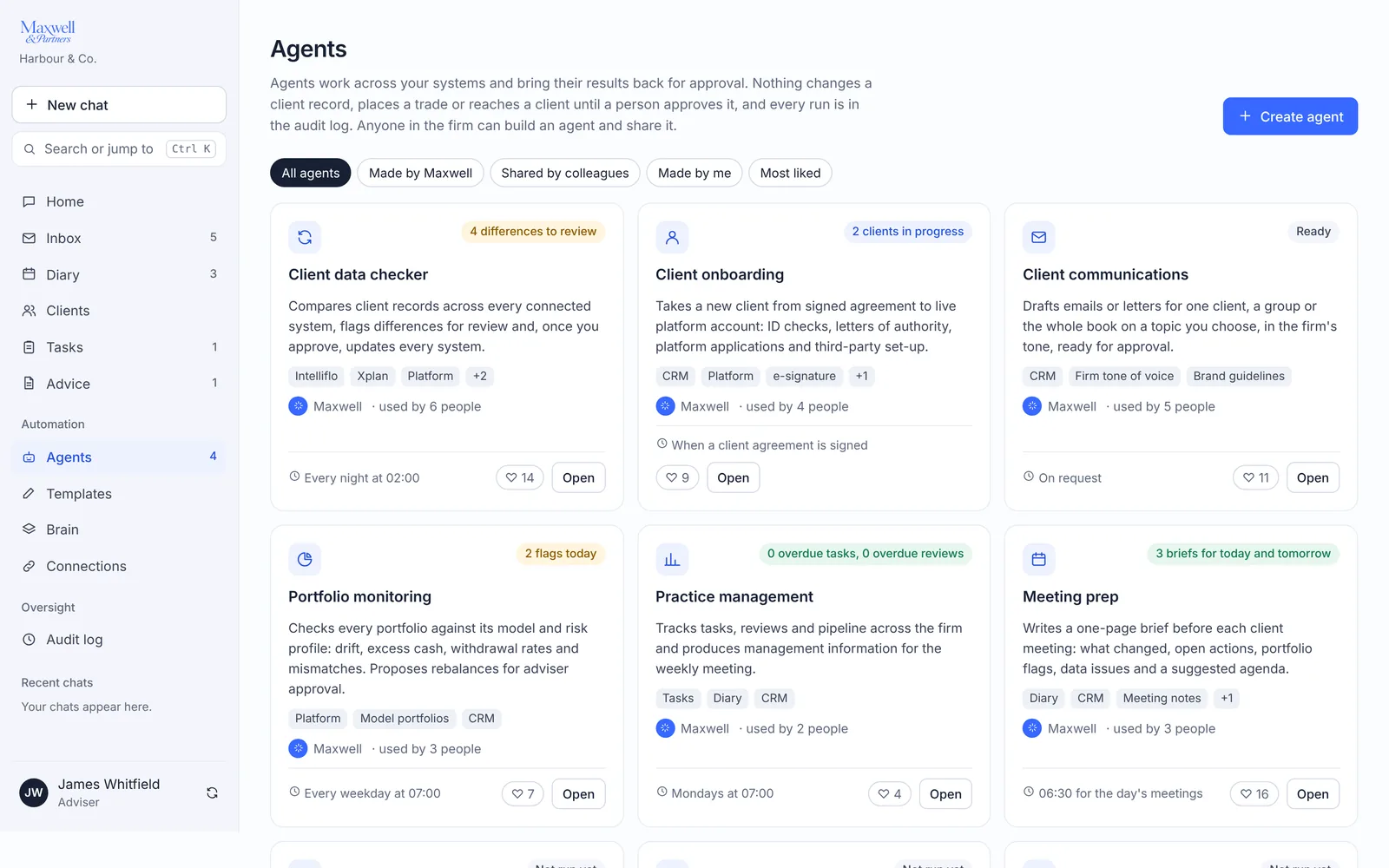
Agents for the routine work

Agents work across your systems and bring their results back for approval: checking client data, onboarding, client communications, portfolio monitoring, practice management and meeting prep. Anyone in the firm can build an agent in plain English and share it.

  • Nothing changes a client record, places a trade or reaches a client until a person approves it
  • Every run is in the audit log
The agents screen: six built-in agents with their schedules and results

Client data that agrees

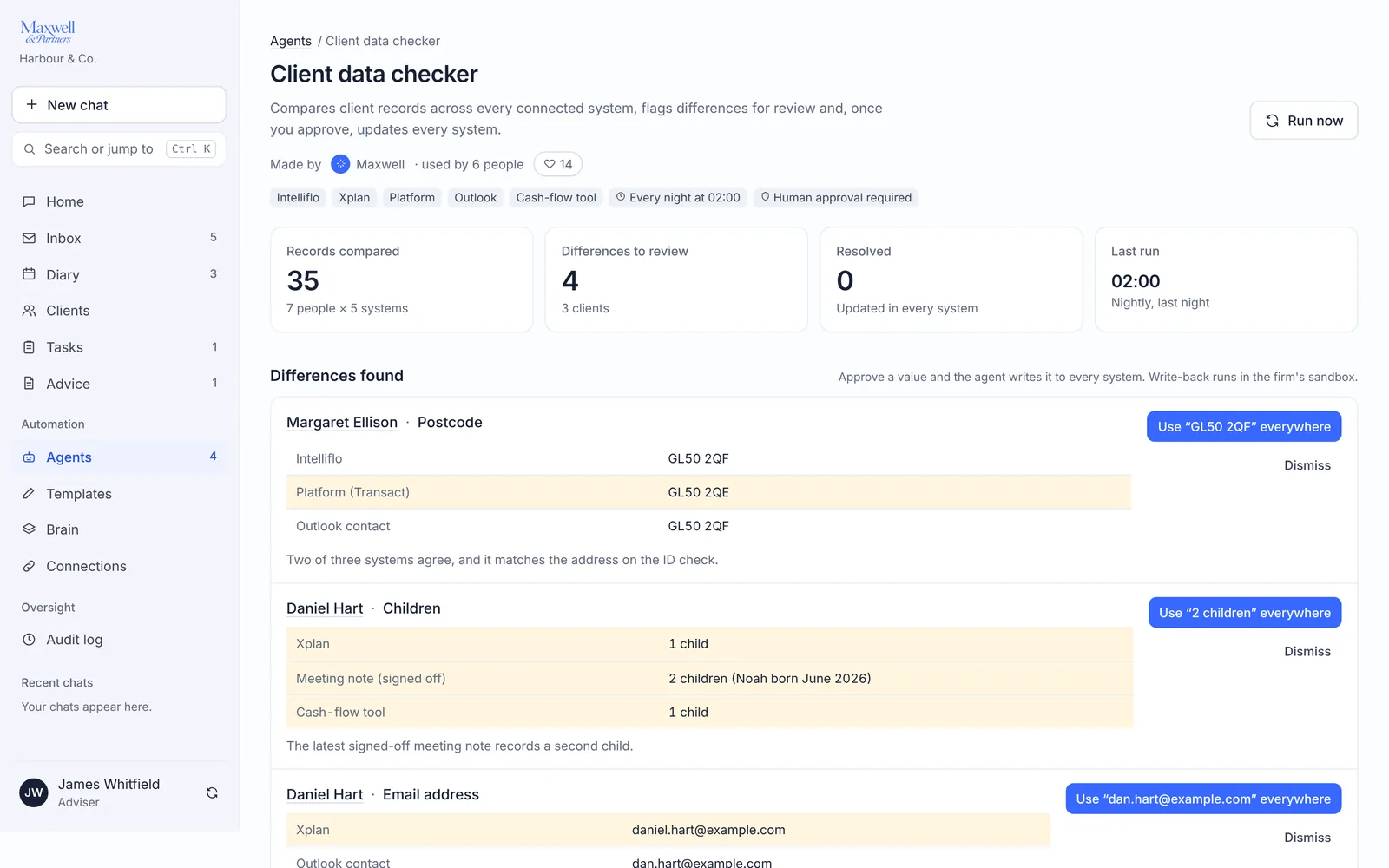
The client data checker compares each client’s records across connected systems, such as back office, platform and email, and lists the differences. Approve a value and it is updated everywhere.

The client data checker: differences in a postcode and number of children across three systems

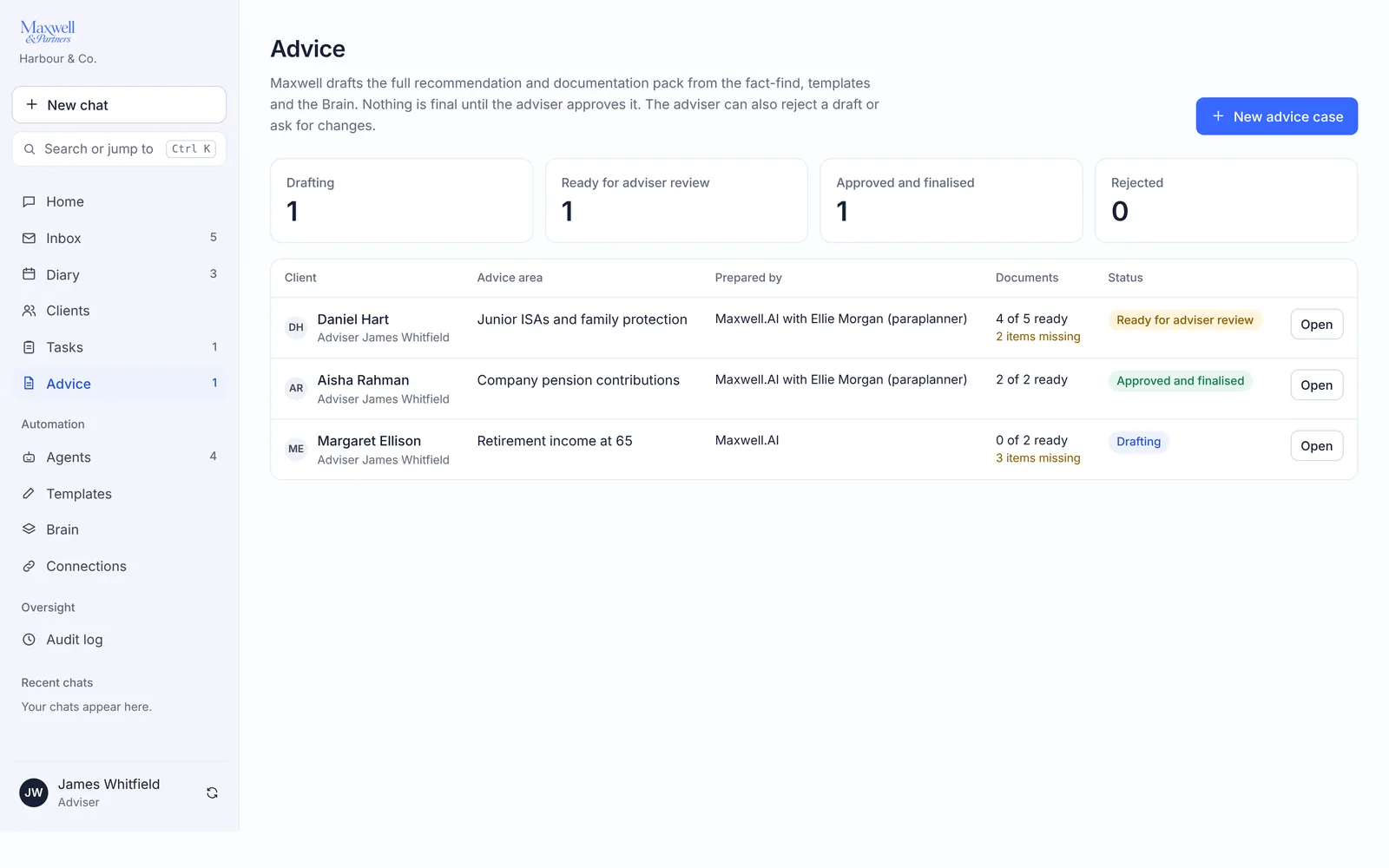
Advice packs, drafted for review

Maxwell drafts the recommendation and documentation pack from the fact-find, the firm’s templates and its knowledge base. Nothing is final until the adviser approves it, and the adviser can reject a draft or ask for changes.

The advice screen: drafts in progress, ready for review and approved

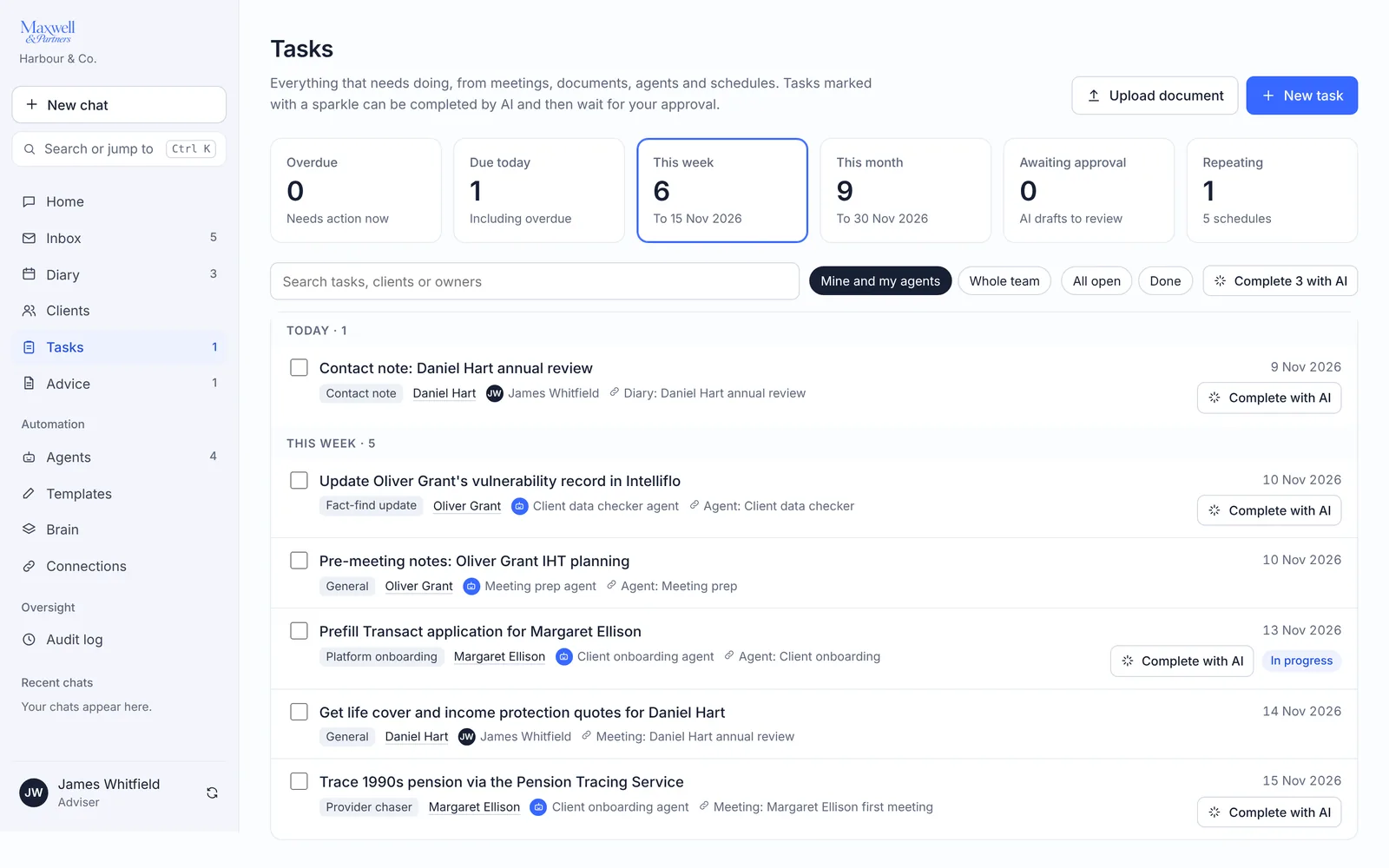
Every task in one list

Everything that needs doing, from meetings, documents, agents and schedules. Tasks marked with a sparkle can be completed by AI and then wait for your approval.

The tasks list: due today, this week, awaiting approval and repeating

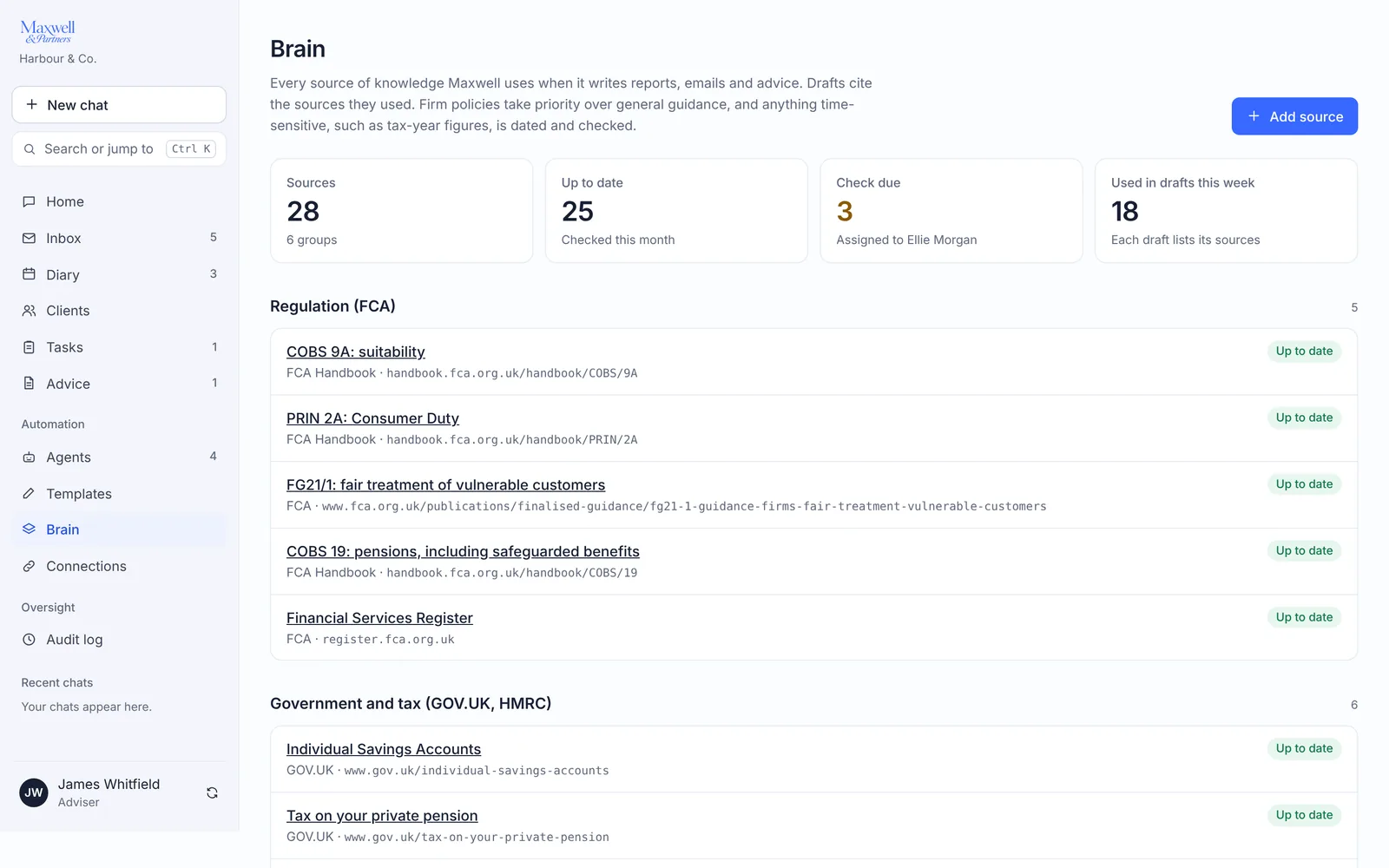
Your firm’s knowledge, cited

Maxwell writes from the sources the firm chooses: FCA rules, GOV.UK guidance, its own policies and approved templates. Drafts cite the sources they used. Firm policies take priority over general guidance, and time-sensitive figures are dated and checked.

The knowledge base: regulation and guidance sources with when each was last checked

The adviser stays in charge.

Approval first
Drafts, record changes and client messages wait for a person to approve them.
A full audit trail
Every sign-in, sign-off, change and approval is logged. Entries can’t be edited or deleted.
Access by role
Advisers see only the clients they advise. Everyone uses two-step verification.

Become a founding firm.

Founding firms get discounted access to Maxwell for Clients and Maxwell.AI Workspace, and help shape both before launch.

  • Discounted access when each product launches
  • A place in our pilots as they open
  • A direct line to the team building it
Book a call